Riley Portraits & Weddings
A Northern Virginia Photographer
How to Use Gallery Cart
Riley Portraits & Weddings
Step By Step Guide
My Step By Step Guide to Downloading your Included Digital Images

Click the Link Sent to your messenger, email or phone

Enter your Email Address
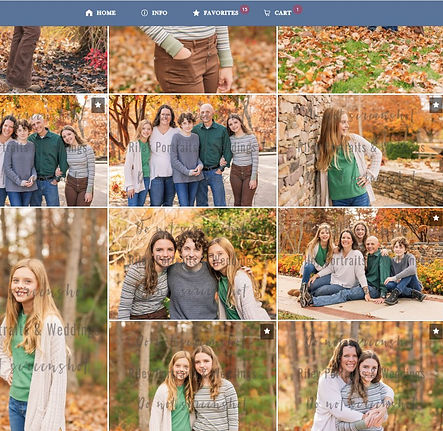
Add your favorites by hovering over an image and clicking the star button.

Click the Favorites Button at the top to view your selections all in one place. Then select the "Buy All" button at the top right to add to your cart.

The buy all button will open up this menu. For this tutorial, we are going to do the digitals included in your session. Click the "Digitals" button at the top.

Select the Full Resolution Button that shows $25.00. (If you'd like the entire Collection you'd click the bottom option here.)

This has grouped your favorite images into one item. Click Add to Cart at bottom.

Click View Cart

Select Checkout at top Right of this screen. The far left will display each item in your cart.

Enter Promo codes provided to update totals. If you chose the entire Collection your price will update automatically at this point. Enter all of your payment details.

Click Place Order. Your images will be sent over to your email in a zip file. Make sure to save them to multiple locations in case of technological failure. :)

Enjoy all of your pretty images! Reach out if you need further assistance or would like to do your transaction a different way. :)